

Price: [price_with_discount]
(as of [price_update_date] – Details)
[ad_1]
From the manufacturer


1 Versatility
2 Solutions
3 Buyer’s Guide For Office
4 Buyer’s Guide For Home
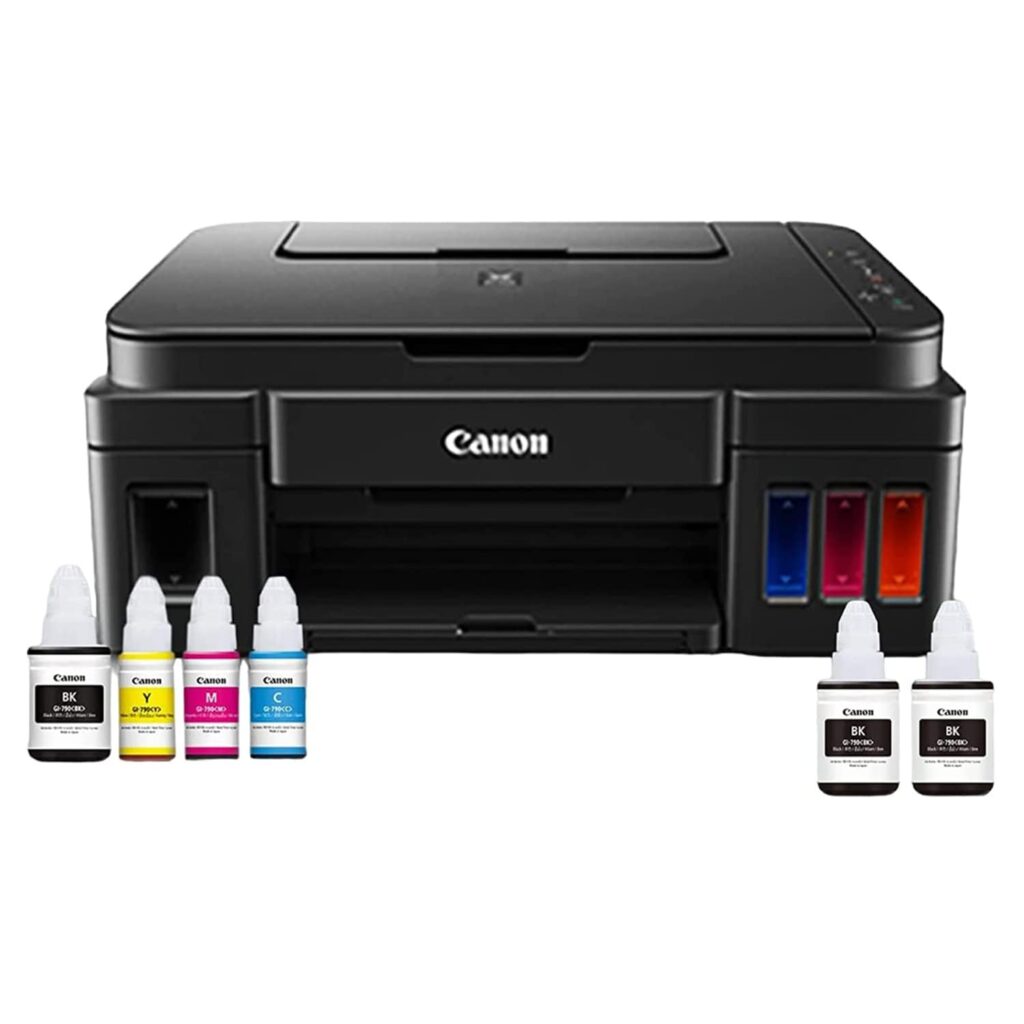
Printer type: Inktank ; Functions: Print, Scan, Copy ; Printer output: Colour ; Connectivity: WiFi USB ; Scanner: Yes ; Scanner resolution: 600 x1200 dpi
OS Compatibility: Windows 10, Windows 8, Windows 7, Windows 7 SP1, Windows Vista SP2, Windows XP SP3 32-bit only, Mac OS X v10.7.5 and later Mobile connectivity: Yes (via Canon Print Service, PIXMA Cloud Link, Canon PRINT Inkjet / SELPHY App) Hardware Interface: Hi-Speed USB; Enlarge/reduce option: No ; Duplex: No
Maximum Print Speed (color): 5.0 ipm, Maximum Print Speed (Monochrome):8.8 ipm ; Print cost Monochrome: Rs 0.10 ; Print cost color: Rs 0.24 ; Maximum Print Resolution (color): 4800×1200 dpi, Maximum Print Resolution (Monochrome): 4800×1200 dpi
Page size : A4, A5, B5, Letter, Legal, 10.16 x 15.24cm, 12.7 x 17.78cm, 20.32x 25.4cm, Envelopes (DL, COM10), Square (12.7×12.7cm), Business Card, Custom size (width 55 – 215.9mm, length 89 – 676mm ; Max paper thickness: 64 to 275 GSM ; Maximum Input Sheet Capacity: 100 sheets (A4) ; Compatible ink: GI790 Cyan, Magenta, Yellow, Black ; Print Yield: Black- 6000 prints, Color-7000 prints(Yield mentioned is as per ISO/IEC 24711 (for A4 size) using ISO/IEC 24712 test file); Additional Printer Function: Borderless Printing ; Power wattage of printer: OFF: 0.3W, Standby (scanning lamp is off) (USB connection to PC): 1.7W, Copying: 9W:14W
Page Yield: GI790 BK- 6000 prints, GI790 Cyan, Magenta, Yellow- 7000 prints as per ISO/IEC 24711 (for A4 size) using ISO/IEC 24712 test file.
Warranty- One year or 15000 prints (whichever is earlier) onsite warranty from the date of purchase. Warranty applicable on manufacturing defects only. Please contact Canon customer care for free one time installation support
Customers say
Customers find the printer delivers good quality prints and is cost-effective for home use, with easy-to-use features and fast scanning capabilities. However, they report mixed experiences with installation, with some finding it straightforward while others struggle with the process. Moreover, the printer’s functionality and wireless connectivity receive mixed reviews – while some say it performs reliably and the WiFi connectivity is perfect, others report it fails to connect with their router. Additionally, customers disagree on the print speed, with some finding it remarkable while others say it’s slower than the Epson L220. The printer’s reliability is concerning, as customers report it keeps showing errors and stops working properly after extended use.
[ad_2]